



Database management
Experience high-speed read/write capabilities and minimal latency, perfect for hosting diverse databases on block storage. Effortlessly scale your storage volumes in alignment with your database expansion.
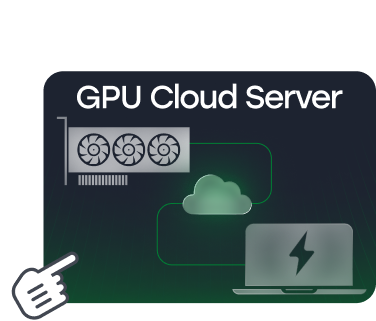
Effortlessly attach scalable storage volumes to your cloud servers, enhancing flexibility and capacity.
As intuitive as using an external SSD for your desktop, but hosted in the cloud.
Adjust storage volume with ease, scaling up even post-creation. Volumes range from 10 GB to 1 TB, with the ability to attach up to four additional volumes to a single VM.
Storage volume replication exceeds standard industry levels, ensuring quick data restoration. With a 99.9% data availability rate, your volumes are safeguarded against disruptions.
Manage cloud storage volumes through streamlined, automated tasks like creation, attachment, and deletion, minimizing the need for manual intervention and reducing operational expenses.
Enjoy high IO performance block storage for a wide range of workloads.

We use the best high-speed disk drives in the cloud market. Their volume expands on-demand in seconds.
Storage volumes are physically isolated from virtual machines, and their data is replicated multiple times.
Select a location that fits your project requirements and user geography.
Get 20% cashback from referred customer purchases throughout the first year. Starting from the second year, cashback is no longer applied.

Create your account in Falconcloud. There are no contracts and commitments.

Tell your audience about Falconcloud using our promotion tools.

Invite new clients to Falconcloud and receive 20% cashback from their purchases during the first year.
What is block storage?
Block storage is a cloud storage service that provides additional disk volumes for virtual machines. Each volume works like a separate disk and can be used for applications, databases, backups, or other data.
Can I increase the size of a block storage volume?
Yes. Falconcloud block storage volumes can be expanded after creation, allowing you to increase capacity as your project grows without changing the VM’s CPU or RAM configuration.
How many storage volumes can be connected to one virtual machine?
You can attach up to four additional block storage volumes to a single virtual machine. Available volume sizes range from 10 GB to 1 TB.
What workloads are suitable for block storage?
Block storage is suitable for databases, business applications, development environments, and projects that need additional VM capacity. It provides high read and write performance while allowing storage to scale independently from other server resources.
Experience high-speed read/write capabilities and minimal latency, perfect for hosting diverse databases on block storage. Effortlessly scale your storage volumes in alignment with your database expansion.
Optimize the performance of applications like Exchange, SharePoint, Oracle, and SAP by utilizing block storage for direct data writing. This compatibility enhances operational speed by eliminating redundant data writing.
Leverage block storage to seamlessly enhance your cloud servers' disk space as needed, independent of CPU and RAM adjustments. This flexibility results in considerable cost savings on server resources.