DeepSeek API
DeepSeek API for AI Applications
Connect the DeepSeek API to your applications through Falconcloud and add AI capabilities to existing products and workflows. Access available DeepSeek models via API without deploying or maintaining model infrastructure on your own.
What Is the DeepSeek API?
The DeepSeek API provides a way to integrate DeepSeek models into applications and digital services. Through Falconcloud, developers can connect their projects to available models via API without setting up and operating the underlying AI infrastructure themselves.
DeepSeek models can be used for language-based tasks such as generating and processing text, building conversational features, working with code, and automating repetitive processes. This makes the API suitable for both customer-facing products and internal business tools.
After receiving API credentials, your application can send requests to a selected model and process its responses within your existing workflow. You can start with a specific AI feature and extend the integration as your project's requirements change.
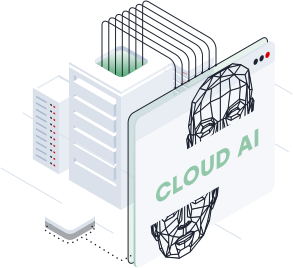
Who Can Use the DeepSeek API?
The DeepSeek API can be integrated into different types of projects, from software development and product creation to internal automation and business applications.

Connect DeepSeek models to applications, backend services, and development environments. Use API access to add AI functions to existing software or build new tools without hosting the models yourself.

Automate routine processes and enhance internal or customer-facing systems with AI. DeepSeek models can become part of existing workflows without requiring a dedicated infrastructure for model deployment.

Introduce AI features into digital products and services. Teams can use the DeepSeek API for conversational interfaces, text processing, coding-related features, and other model-supported tasks.

Develop and validate AI-based product ideas while keeping the initial infrastructure setup simpler. Integrate the DeepSeek API during prototyping and extend its use as the product develops.
What Can You Build with the DeepSeek API?
Use the DeepSeek API to introduce AI into customer interactions, content workflows, software products, and development processes.
Integrate DeepSeek models into support systems to process customer questions, generate relevant replies, and assist with recurring requests. This can help automate repetitive parts of customer communication.
Build conversational assistants for websites, applications, and digital services. The DeepSeek API can connect your product to available models for processing user input and generating responses.
Use DeepSeek models for drafting, summarizing, rewriting, classifying, and processing text. API integration can bring these tasks directly into existing content and business workflows.
Add AI functions to developer workflows for code generation, explanation, analysis, and other programming-related tasks. Integrate DeepSeek models into internal tools or customer-facing software through the API.
How to Get a DeepSeek API Key
Connect your project to the DeepSeek API through Falconcloud in three steps and start using available DeepSeek models in your applications.

Register with Falconcloud and choose an available DeepSeek model that matches your project requirements. You can access AI models without deploying and maintaining model infrastructure yourself.

Create your DeepSeek API key in Falconcloud. The key authenticates requests from your application and provides access to the selected model through the API.

Add the API credentials to your application and start sending requests to the DeepSeek API. Connect AI capabilities to chatbots, content workflows, developer tools, automation, and other supported use cases.
Select data center
Select a location that fits your project requirements and user geography.



FAQ
What is the DeepSeek API?
The DeepSeek API allows developers to connect DeepSeek models to applications, services, and business workflows. Through Falconcloud, you can use available DeepSeek models via API without deploying and maintaining the underlying model infrastructure yourself.
How do I get a DeepSeek API key?
To get a DeepSeek API key, create a Falconcloud account, select an available DeepSeek model, and generate an access key. You can then use the key to authenticate API requests from your application.
How does DeepSeek API pricing work?
DeepSeek API pricing depends on the selected model and the volume of tokens processed. As a result, the overall DeepSeek API cost varies according to your model choice and actual API usage.
Where can I check DeepSeek API pricing in 2026?
For current DeepSeek API pricing in 2026, check the available models and rates in Falconcloud before starting your integration. Pricing may differ between models, so use the current rates shown by Falconcloud when estimating your API costs.